
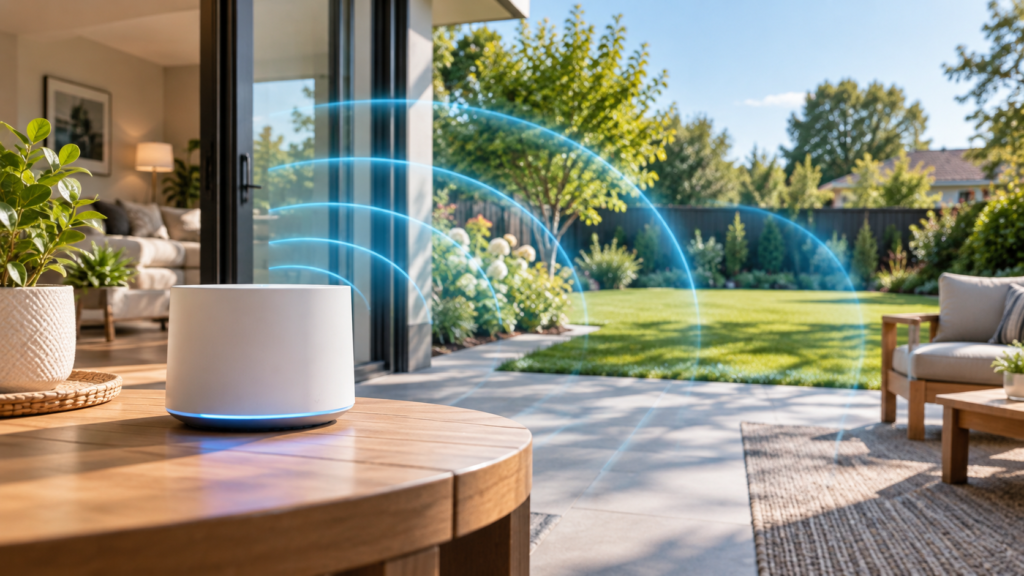
How to Extend Wi-Fi Range to Backyard: Complete Guide
Learning how to extend Wi-Fi range to backyard spaces transforms outdoor areas into fully connected zones for work, entertainment, and smart home devices. Whether you want reliable connectivity for a backyard office, outdoor security cameras, or simply streaming music during gatherings, extending your wireless signal beyond your home’s walls requires the right equipment and proper setup. Distance, building materials, and interference all weaken Wi-Fi signals as they travel outdoors, but several proven solutions can deliver strong, stable connectivity throughout your yard.
Key Takeaways
- Assess your current Wi-Fi coverage to identify dead zones and signal strength
- Compare extenders, mesh systems, and access points to find the best fit
- Position hardware strategically for optimal outdoor signal propagation
- Adjust router settings to maximize outdoor range and performance
- Protect outdoor equipment from weather and ensure reliable power delivery
Understanding Your Current Wi-Fi Coverage and Limitations
Before investing in extension equipment, map your existing Wi-Fi coverage to understand exactly where signals weaken. Walk through your backyard with a smartphone or tablet while monitoring signal strength through your device’s Wi-Fi settings or a dedicated app. Note locations where connectivity drops completely or becomes unusable for streaming and video calls.
Building materials significantly impact signal penetration. Brick, concrete, and metal siding block wireless signals far more effectively than wood or vinyl. If your router sits on the opposite side of your home from the backyard, signals must pass through multiple walls, floors, and possibly metal ductwork or appliances. Each obstacle reduces signal strength, and outdoor distances compound the problem since Wi-Fi wasn’t designed for long-range outdoor use.
The 2.4 GHz and 5 GHz frequency bands behave differently outdoors. The 2.4 GHz band travels farther and penetrates obstacles better, making it more suitable for reaching distant backyard areas. The 5 GHz band offers faster speeds but covers shorter distances and struggles with walls and interference. Understanding which band reaches your backyard helps you configure extension solutions effectively.
Interference from neighboring networks, cordless phones, baby monitors, and microwave ovens further degrades outdoor Wi-Fi performance. In densely populated areas, dozens of overlapping networks compete for the same wireless channels. If you experience connection drops or slow speeds even when signal strength appears adequate, interference likely contributes to the problem.
Choosing the Right Solution: Extenders, Mesh Systems, or Access Points
Wi-Fi extenders represent the most affordable option for extending coverage to backyard spaces. These devices receive your existing Wi-Fi signal and rebroadcast it, effectively creating a second network that reaches farther. Modern dual-band extenders can communicate with your router on one band while broadcasting to devices on another, reducing the speed penalty that plagued older models. Place an extender near a window facing your backyard for best results.
Mesh network systems provide seamless coverage by replacing your traditional router with multiple nodes that work together as a unified network. Devices automatically connect to the strongest node as you move around, eliminating the need to manually switch between networks. Position one mesh node near your backyard-facing wall or ideally in a covered outdoor location if the system includes weatherproof units. Mesh systems cost more than extenders but deliver superior performance and easier management through smartphone apps.
Outdoor access points offer the most robust solution for serious backyard connectivity needs. These enterprise-grade devices mount outside your home and connect to your router via Ethernet cable, delivering dedicated Wi-Fi coverage to outdoor spaces without sharing bandwidth with indoor devices. Weatherproof access points withstand rain, heat, and cold while providing powerful signal strength across large yards. This option requires running cable outdoors and costs more than consumer solutions, but the performance and reliability justify the investment for outdoor offices or extensive smart home installations.
Powerline adapters present an alternative approach when wireless extension proves difficult. These devices transmit network data through your home’s electrical wiring, letting you place a Wi-Fi access point wherever you have an electrical outlet. Install one adapter near your router and another in an outlet facing your backyard, then broadcast Wi-Fi from the second location. Performance varies significantly depending on your home’s electrical wiring quality and circuit layout.
Installing and Positioning Your Wi-Fi Extension Hardware
Strategic placement determines whether your extension solution succeeds or disappoints. Position extension hardware as close to your backyard as possible while maintaining a strong connection to your main router. For extenders and mesh nodes, this typically means placing devices in rooms adjacent to outdoor spaces, preferably near windows or exterior walls.
Avoid installing extension devices in basements or behind metal furniture, large appliances, or thick walls. Elevating equipment improves coverage since Wi-Fi signals propagate better from higher positions. Mount devices on walls or place them on shelves rather than hiding them behind entertainment centers or in cabinets.
When installing outdoor access points, choose mounting locations that provide clear line-of-sight to the areas where you need coverage. Under eaves, on exterior walls, or mounted on poles work well. Ensure the mounting location allows you to run Ethernet cable from your router without creating tripping hazards or exposing cable to damage. Use outdoor-rated Ethernet cable and proper cable management to protect connections from weather.
Most extension devices include setup wizards that guide you through initial configuration. For extenders, place the device within range of your main router during setup, then relocate it to its final position. Mesh systems typically require you to place the primary node near your router, then add additional nodes one at a time while the app monitors connection strength. Follow manufacturer recommendations for spacing between nodes, typically 30 to 50 feet depending on your home’s construction.
Optimizing Router Settings for Maximum Outdoor Range
Router configuration significantly impacts how well signals reach your backyard. Access your router’s admin interface by entering its IP address in a web browser, then log in with your credentials. If you’ve never changed these, check the label on your router or search for default credentials for your specific model.
Select the least congested Wi-Fi channel to minimize interference from neighboring networks. The 2.4 GHz band offers channels 1, 6, and 11 as non-overlapping options in most regions. Use your router’s channel scanner or a Wi-Fi analyzer app to identify which channels experience the least traffic, then manually set your router to that channel. The 5 GHz band provides many more channels with less overlap, but remember that this band’s shorter range makes the 2.4 GHz band more relevant for outdoor coverage.
Adjust transmit power settings if your router provides this option. Some routers default to reduced power to comply with regional regulations, but you can often increase output within legal limits. Higher transmit power extends range but may increase interference with neighboring networks and cause devices very close to the router to experience reduced performance.
Enable both 2.4 GHz and 5 GHz bands rather than disabling one, and give each band a distinct network name during initial setup. This allows you to manually connect backyard devices to the 2.4 GHz band for better range while keeping indoor devices on the faster 5 GHz band. After confirming everything works correctly, you can enable band steering if desired, letting the router automatically assign devices to optimal bands.
Update your router’s firmware to ensure you have the latest performance improvements and security patches. Many modern routers check for updates automatically, but older models require manual checking. Manufacturers often release firmware updates that improve range, stability, and compatibility with newer devices. This is also important for smart home security, as outdated firmware can create vulnerabilities.
Weatherproofing and Power Considerations for Outdoor Setup
Any equipment installed outdoors must withstand rain, temperature extremes, and humidity. Purpose-built outdoor access points include weatherproof enclosures rated for outdoor use, but even these devices require proper installation. Mount equipment under eaves or other covered areas when possible, and ensure all cable connections use weatherproof boots or enclosures.
If you place an indoor-rated extender or mesh node near a window for outdoor coverage, protect it from direct sunlight and condensation. South and west-facing windows experience the most intense heat, which can damage electronics over time. Keep devices several inches from window glass and ensure adequate ventilation.
Power delivery presents a significant challenge for outdoor installations. Outdoor access points typically use Power over Ethernet (PoE), which delivers both data and electrical power through a single Ethernet cable. This eliminates the need for outdoor electrical outlets but requires either a PoE-capable router or switch, or a PoE injector that adds power to the Ethernet line. Check your access point’s power requirements and ensure your PoE equipment provides sufficient wattage.
If you must use an outdoor electrical outlet, ensure it includes ground fault circuit interrupter (GFCI) protection to prevent electrical hazards. Use outdoor-rated extension cords if needed, and protect all connections with weatherproof covers. Never run indoor extension cords outdoors or leave connections exposed to rain.
Consider seasonal temperature ranges in your area. Consumer-grade equipment typically operates reliably between 32°F and 104°F, while commercial outdoor access points function in much wider temperature ranges. If you live in a climate with harsh winters or extreme summer heat, verify that your chosen equipment can withstand local conditions.
Testing and Troubleshooting Your Backyard Wi-Fi Connection
After installation, systematically test coverage throughout your backyard. Walk to various locations while monitoring signal strength and running speed tests. Compare results to your indoor connection speeds, understanding that some speed reduction is normal as distance increases. Aim for signal strength above -70 dBm for reliable connections, which appears as three or four bars in most devices.
If speeds disappoint, verify that your extension device has a strong connection to your main router. Most extenders and mesh nodes include LED indicators showing connection quality. Weak links between your router and extension device create bottlenecks that limit performance throughout the extended network. Reposition equipment or add additional mesh nodes to strengthen these connections.
Connection drops and intermittent performance often indicate interference or marginal signal strength. Try changing Wi-Fi channels on both your router and extension devices. If problems persist in specific backyard locations, those areas may require additional extension nodes or a more powerful outdoor access point.
Device compatibility occasionally causes problems. Older smartphones, tablets, and smart home devices may struggle with mesh networks or have difficulty switching between bands. Update device firmware when possible, and manually assign problematic devices to specific networks or bands if your equipment allows it. If you notice connectivity problems with specific outdoor devices, check if they support proper Wi-Fi standards for your network configuration.
Remember that Wi-Fi performance varies based on network congestion and the number of connected devices. Heavy usage inside your home reduces bandwidth available for backyard connections. During peak usage times, consider prioritizing outdoor devices through your router’s Quality of Service (QoS) settings if critical applications require reliable backyard connectivity.
Advanced Options: Powerline Adapters and Point-to-Point Bridges
Powerline adapters offer a unique solution when wireless extension proves inadequate and running Ethernet cable outdoors is impractical. These devices convert your home’s electrical wiring into a network backbone, allowing you to establish a Wi-Fi access point anywhere you have an outlet. Purchase a powerline kit that includes at least two adapters, plug one near your router and connect it via Ethernet, then plug the second adapter in an outlet near your backyard and connect a Wi-Fi access point or wireless router configured in access point mode.
Powerline performance depends heavily on your electrical system. Newer homes with quality wiring deliver better results than older homes with outdated electrical systems. Adapters connected to the same electrical circuit perform better than those on different circuits, and distance between outlets impacts speed. Powerline adapters also struggle when outlets connect through GFCI breakers, surge protectors, or UPS units. Test thoroughly before committing to this approach, and keep your receipt in case performance disappoints.
Point-to-point wireless bridges provide another advanced option for extending connectivity to detached structures like workshops, studios, or guest houses. These systems use directional antennas to create a dedicated wireless link between your main network and the remote building, essentially functioning as a wireless Ethernet cable. Install one bridge unit inside your main home with clear line-of-sight to the remote structure, and mount the second unit on or in that building.
Point-to-point bridges excel at covering long distances that would defeat traditional Wi-Fi extension methods. Quality systems maintain gigabit speeds across hundreds of feet, far exceeding what mesh networks or extenders can achieve. However, they require careful alignment of directional antennas and work best with unobstructed line-of-sight. Trees, walls, and other obstacles significantly degrade performance.
For extensive outdoor coverage across large properties, consider combining multiple approaches. Use a point-to-point bridge to bring connectivity to a distant outbuilding, then deploy a mesh node or access point in that location to provide Wi-Fi coverage in the surrounding area. This hybrid approach delivers reliable performance across complex outdoor spaces while managing costs effectively.
Frequently Asked Questions
How far can Wi-Fi extenders reach outdoors?
Wi-Fi extenders typically extend coverage 50 to 100 feet outdoors under ideal conditions, but performance varies significantly based on obstacles, interference, and the specific hardware used. Higher-quality dual-band extenders with external antennas reach farther than budget models with internal antennas. Outdoor access points with directional antennas can cover several hundred feet, making them more suitable for large yards.
Will rain or snow affect my outdoor Wi-Fi signal?
Rain and snow do absorb and scatter Wi-Fi signals, but the impact on typical backyard coverage remains minimal. Heavy precipitation reduces signal strength by a few decibels, rarely enough to cause noticeable problems at short to moderate distances. However, water infiltration into equipment or cable connections causes serious damage, making proper weatherproofing essential for any outdoor installation.
Can I use an old router as a Wi-Fi extender for my backyard?
Yes, most routers can be configured in access point or bridge mode to extend your network. Connect the old router to your main router via Ethernet cable if possible, or configure it in wireless bridge mode to receive and rebroadcast your existing Wi-Fi signal. Access the router’s admin interface to change its operating mode, disable DHCP to prevent IP address conflicts, and configure it with the same network name and password as your main network for seamless roaming.
Conclusion
Extending Wi-Fi range to backyard spaces requires evaluating your current coverage, selecting appropriate extension hardware, and positioning equipment strategically for optimal signal propagation. Wi-Fi extenders offer affordable solutions for small to medium yards, while mesh systems provide seamless coverage with easy management. Outdoor access points deliver the most robust performance for large spaces or demanding applications, and powerline adapters present viable alternatives when wireless extension proves difficult. Proper router configuration, weatherproofing considerations, and systematic testing ensure reliable outdoor connectivity that transforms your backyard into a fully functional extension of your home network.
Pingback: Common Smart Home Setup Mistakes and How to Avoid Them