
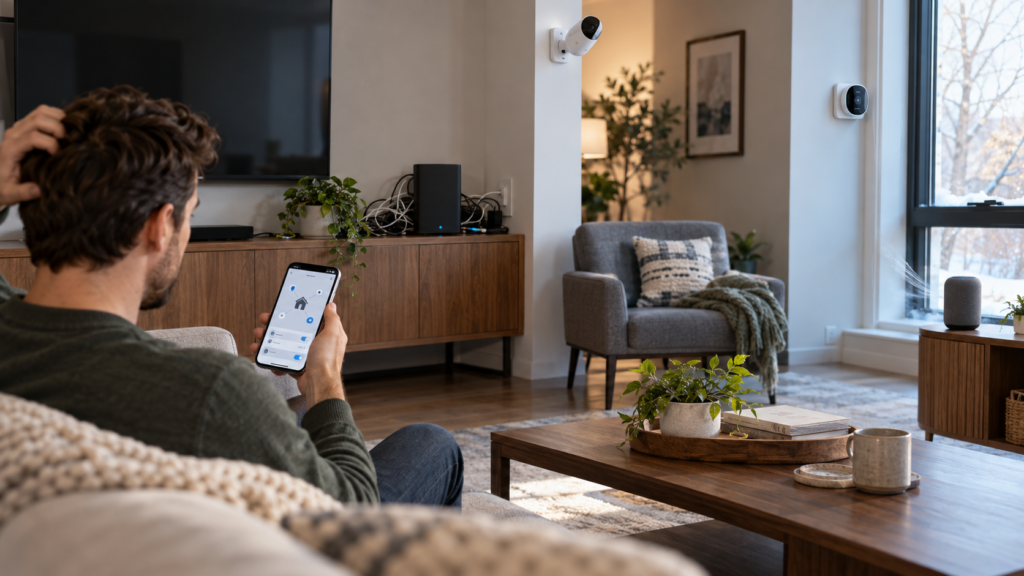
Common Smart Home Setup Mistakes and How to Avoid Them
Setting up a smart home should make your life easier, but common smart home setup mistakes can turn an exciting project into a frustrating money pit. Many beginners rush into purchasing devices without understanding compatibility requirements, network limitations, or security implications. These oversights lead to devices that won’t communicate with each other, unreliable connections, and vulnerable networks that expose your personal data.
The good news is that most of these problems are entirely preventable with proper planning. Understanding the most frequent errors people make when building their smart home ecosystems will save you time, money, and countless headaches down the road.
Key Takeaways
- Verify device compatibility before purchasing to avoid ecosystem conflicts
- Plan your network infrastructure to support multiple connected devices
- Configure security and privacy settings immediately after installation
- Start small and expand gradually rather than buying everything at once
- Set up automations and routines to maximize your smart home’s usefulness
- Account for power sources and connectivity requirements before installation
- Design your system with future expansion and upgrades in mind
Choosing Incompatible Devices and Ecosystems
One of the most expensive mistakes new smart home enthusiasts make is purchasing devices without checking whether they work together. Smart home devices typically operate within specific ecosystems like Amazon Alexa, Google Home, Apple HomeKit, or Samsung SmartThings. A smart light bulb designed exclusively for HomeKit won’t respond to Alexa voice commands, and a thermostat that only works with Google Home can’t integrate with your Apple-based setup.
Before buying any device, identify which ecosystem you want to build around. Consider which voice assistant you already use, which smartphones your household owns, and which platform offers the broadest device support for your needs. If you primarily use iPhones and iPads, HomeKit might be your natural choice, but be aware that HomeKit has fewer compatible devices than Alexa or Google Home ecosystems.
Communication protocols add another layer of complexity. Devices may use Wi-Fi, Zigbee, Z-Wave, Thread, or Matter for connectivity. Wi-Fi devices connect directly to your router, while Zigbee and Z-Wave devices require a compatible hub to function. Matter, a newer universal standard, promises cross-platform compatibility, but not all existing devices support it yet. Check the technical specifications carefully and confirm that you have the necessary hub or bridge if required.
Many people also overlook regional differences in wireless frequencies. Z-Wave devices operate on different frequencies in North America, Europe, and Australia, meaning a device purchased overseas may not work in your country. Always verify that devices are designed for your specific region before completing your purchase.
Skipping Network Infrastructure Planning
Your home Wi-Fi network is the foundation of your smart home, yet many people don’t assess whether their existing network can handle the additional load. Each smart device consumes a portion of your network’s bandwidth and requires a stable connection to function reliably. A router that adequately served your household’s phones and laptops may struggle when you add twenty smart devices.
Consumer-grade routers typically support 20-30 simultaneous connections, but smart home setups can easily exceed this limit. Smart lights, plugs, sensors, cameras, speakers, and appliances all count as separate connections. When your router reaches its connection limit, devices start dropping offline randomly, automations fail to trigger, and voice commands stop working.
Range is equally important. Smart devices in distant rooms, outdoor spaces, or basements may receive weak signals that cause intermittent connectivity issues. Walking through your home and testing signal strength in every area where you plan to install devices prevents unpleasant surprises later. If you discover weak spots, you’ll need to address them before adding devices to those locations.
Upgrading to a mesh network system solves both capacity and coverage problems for most homes. Mesh systems use multiple access points that work together to blanket your entire property with strong, consistent coverage while supporting far more simultaneous connections than traditional routers. For homes with extensive outdoor smart home plans, consider extending your Wi-Fi range to cover your backyard properly.
Also consider creating a separate network for your smart home devices. Many modern routers support guest networks or VLANs that isolate IoT devices from your primary network containing computers and phones. This segmentation improves both performance and security by containing any potential compromises to your IoT network only.
Neglecting Security and Privacy Settings
Smart home devices create new entry points into your network that hackers can exploit if left unsecured. Unfortunately, many users never change default passwords, disable unnecessary features, or configure privacy settings appropriately. These oversights transform convenient devices into security vulnerabilities that can expose your personal data or provide unauthorized access to your home network.
Default passwords are publicly available for most IoT devices, making them trivial for attackers to compromise. The first action after installing any smart device should be changing its password to something strong and unique. Use a password manager to generate and store complex passwords rather than reusing the same credentials across multiple devices.
Many smart devices ship with features enabled that you may not want or need. Smart cameras often include remote access, cloud storage, and data sharing with third parties by default. Smart speakers may record conversations continuously rather than only after hearing a wake word. Review every device’s settings and disable features that compromise your privacy or security without providing meaningful benefits.
Firmware updates are critical for security but often require manual intervention. Manufacturers regularly release updates that patch vulnerabilities, but many devices won’t install them automatically. Check each device’s update settings and enable automatic updates whenever possible. For devices requiring manual updates, set a quarterly reminder to check for and install new firmware.
Two-factor authentication adds essential protection for accounts controlling your smart home ecosystem. Enable it for your Amazon, Google, Apple, or Samsung account to prevent unauthorized access even if someone obtains your password. For comprehensive guidance on protecting your connected home, review these smart home security tips.
Buying Too Many Devices Too Quickly
The excitement of building a smart home often leads people to purchase dozens of devices in their first shopping spree. This approach creates multiple problems: you can’t properly configure and test each device, you may discover compatibility issues after it’s too late to return items, and you’ll waste money on devices that don’t actually improve your daily routine.
Start with devices that address specific pain points or genuinely improve your quality of life. A smart thermostat saves energy and maintains comfort automatically. Smart lights in bedrooms allow you to adjust brightness and color temperature for better sleep. A video doorbell provides security and convenience when expecting deliveries. These devices deliver immediate, tangible value.
After installing your initial devices, live with them for several weeks before expanding. This testing period reveals whether devices work as advertised, whether you actually use their features, and where additional smart devices would be most beneficial. You’ll also discover whether your network infrastructure needs upgrading before you add more load.
Resist the temptation to automate everything at once. Not every light switch or outlet needs smart functionality. Focus on high-traffic areas, frequently adjusted devices, and locations where automation provides clear benefits. A smart plug for a bedside lamp that you turn on and off daily makes sense; a smart plug for a lamp you rarely use doesn’t.
This measured approach also helps you understand which ecosystem and protocols work best for your needs before you’ve invested heavily in a particular platform. Discovering that you prefer Google Home to Alexa is far less costly when you own five devices instead of fifty.
Overlooking Automation and Routine Setup
Smart devices provide minimal value if you only use them as expensive remote controls. The real power of home automation emerges when devices work together automatically based on schedules, triggers, or conditions. Many people install smart devices but never configure the automations and routines that transform individual gadgets into a cohesive, intelligent system.
Routines let multiple devices respond to a single trigger. A “Good Morning” routine might gradually increase bedroom light brightness, adjust the thermostat, start your coffee maker, and read your calendar when you dismiss your alarm. An “Away Mode” routine could turn off lights, adjust the thermostat to save energy, and activate security cameras when everyone leaves home. These multi-device actions are what make a smart home genuinely smart.
Location-based automations use your smartphone’s GPS to trigger actions when you arrive or leave. Lights can turn on automatically when you pull into the driveway after dark, and the security system can arm itself when the last person leaves. These geofencing features eliminate the need to remember manual actions and ensure your home responds appropriately to your presence.
Conditional automations add intelligence by responding to environmental factors. Motion sensors can trigger lights only when rooms are dark, preventing unnecessary activation during daylight. Temperature sensors can activate fans when specific rooms become too warm. Leak sensors can shut off water supplies when detecting moisture in critical areas.
Setting up these automations requires initial time investment but pays dividends daily. For step-by-step guidance on creating effective smart home automations, learn how to set up smart home routines that actually improve your daily life.
Ignoring Power and Connectivity Requirements
Many smart devices have specific power and connectivity requirements that people discover only during installation. Battery-powered devices need periodic recharging or battery replacement, which becomes tedious when you have dozens of devices. Hardwired devices require electrical work that may exceed your skill level or budget. Wireless devices need strong signal coverage that may not exist where you want to install them.
Smart doorbells illustrate this problem clearly. Some models work with existing doorbell wiring and transformers, while others require specific voltage ranges or entirely new transformers. Battery-powered models avoid wiring complexity but need charging every few months. Video doorbells also require strong Wi-Fi signals at your front door, which is often far from your router and may have signal interference from exterior walls and metal doors.
Smart switches present similar challenges. Traditional smart switches require a neutral wire in the electrical box, but many older homes lack neutral wires at switch locations. Installing a smart switch without a neutral wire requires either running new wiring (expensive and invasive) or purchasing specialty switches designed for no-neutral installations (limited selection and features).
Outdoor devices face additional requirements. Smart sprinkler controllers, outdoor cameras, and landscape lighting need weatherproof installations and may require outdoor-rated power outlets or low-voltage transformers. Ensure you have appropriate electrical infrastructure before purchasing outdoor smart devices.
Range limitations affect wireless sensors particularly. A window sensor in a distant bedroom may struggle to communicate with your hub if it uses Zigbee or Z-Wave with limited range. Wi-Fi devices have better range but drain batteries faster due to higher power consumption. Understanding these tradeoffs helps you select appropriate devices for each location.
Survey your home’s electrical infrastructure and wireless coverage before purchasing devices. Identify which locations have accessible power outlets, which have in-wall wiring, and which have strong wireless signals. This inventory prevents purchasing devices that won’t work in your intended locations without significant additional investment.
Failing to Plan for Future Scalability
A common oversight is building a smart home system without considering how it will grow and evolve. Technology changes rapidly, new devices emerge regularly, and your needs will shift over time. Failing to plan for scalability results in systems that become obsolete quickly or require expensive replacement rather than simple expansion.
Hub selection significantly impacts future flexibility. Some hubs support only proprietary devices from a single manufacturer, locking you into that ecosystem permanently. Others support multiple protocols like Zigbee, Z-Wave, and Wi-Fi, giving you freedom to choose best-in-class devices from various manufacturers. Open-source hubs like Home Assistant provide maximum flexibility but require more technical knowledge to configure and maintain.
Protocol choice also affects scalability. Zigbee and Z-Wave create mesh networks where each powered device extends range for other devices, making expansion easier as your network grows. Wi-Fi devices connect directly to your router without creating a mesh, so expansion can eventually overwhelm your network. Matter, the emerging universal standard, promises better cross-platform compatibility and should be considered for future purchases.
Cloud dependency is another scalability concern. Devices that rely entirely on manufacturer cloud services stop working if the company discontinues support or goes out of business. This has happened repeatedly in the smart home industry, leaving customers with expensive paperweights. Prioritize devices that can operate locally without cloud connectivity, or choose ecosystems with strong track records and large user bases that suggest longevity.
Bandwidth requirements grow as you add devices, especially cameras and video doorbells that stream high-definition footage. A network that handles ten devices smoothly may struggle with fifty. Plan network upgrades proactively rather than reactively, and consider how your internet bandwidth will accommodate multiple streaming cameras if you expand your security coverage.
Document your smart home configuration as you build it. Record which devices you own, which accounts they’re linked to, what automations you’ve created, and where devices are physically located. This documentation becomes invaluable when troubleshooting problems, onboarding household members, or planning expansions. Without documentation, complex systems become difficult to maintain and modify over time.
Frequently Asked Questions
What ecosystem should I choose for my first smart home devices?
Choose based on what you already own and use. If you have iPhones and use Siri, HomeKit makes sense despite its smaller device selection. If you have Amazon Echo speakers or use Alexa frequently, the Alexa ecosystem offers the broadest device compatibility. Google Home works well for Android users and households heavily invested in Google services. Consider Matter-compatible devices for maximum future flexibility across platforms.
How many smart devices can my Wi-Fi network handle?
Most consumer routers support 20-30 simultaneous connections, though this varies by model. Each smart device counts as one connection. If you plan to install more than 15-20 smart devices, consider upgrading to a mesh network system or a business-grade router that supports more connections. Network congestion symptoms include devices dropping offline, automations failing to trigger, and slow response times to voice commands.
Do I need a separate hub for smart home devices?
It depends on which devices you choose. Wi-Fi devices connect directly to your router without requiring a hub. Zigbee and Z-Wave devices require a compatible hub to function. Some hubs support multiple protocols, letting you mix device types within a single system. Many smart speakers like Amazon Echo and Google Nest now include built-in Zigbee radios, potentially eliminating the need for a separate hub if you already own compatible speakers.
Should I change default passwords on smart home devices?
Yes, changing default passwords is one of the most important security steps you can take. Default passwords for most IoT devices are publicly available online, making them easy targets for hackers. Use a password manager to create and store strong, unique passwords for each device to protect your network from unauthorized access.
How do I know if a smart device will work in my home before buying it?
Check three things before purchasing: ecosystem compatibility with your voice assistant or control platform, communication protocol requirements to confirm you have the necessary hub or network support, and power requirements to ensure you have appropriate electrical infrastructure at the installation location. Read the technical specifications carefully and verify regional compatibility for devices using Z-Wave or other region-specific protocols.
What should I automate first in my smart home?
Start with automations that address daily inconveniences or repetitive tasks. Morning routines that adjust lights and temperature when you wake up, arrival automations that turn on lights when you get home after dark, and bedtime routines that lock doors and adjust thermostats are all practical starting points. Focus on automations that genuinely save time or improve comfort rather than automating for the sake of automation.
Building a Smart Home the Right Way
Avoiding common smart home setup mistakes comes down to planning before purchasing and testing before expanding. Research device compatibility with your chosen ecosystem, assess your network infrastructure honestly, prioritize security from day one, and start small with devices that address specific needs. Configure automations and routines that make your devices work together intelligently rather than treating them as individual gadgets.
Remember that your smart home is a long-term investment that will evolve over time. Choose devices and platforms that support future expansion, document your configuration as you build, and remain flexible as new technologies emerge. The extra time you invest in planning and proper setup will reward you with a reliable, secure, and genuinely useful smart home that enhances your daily life rather than complicating it.